
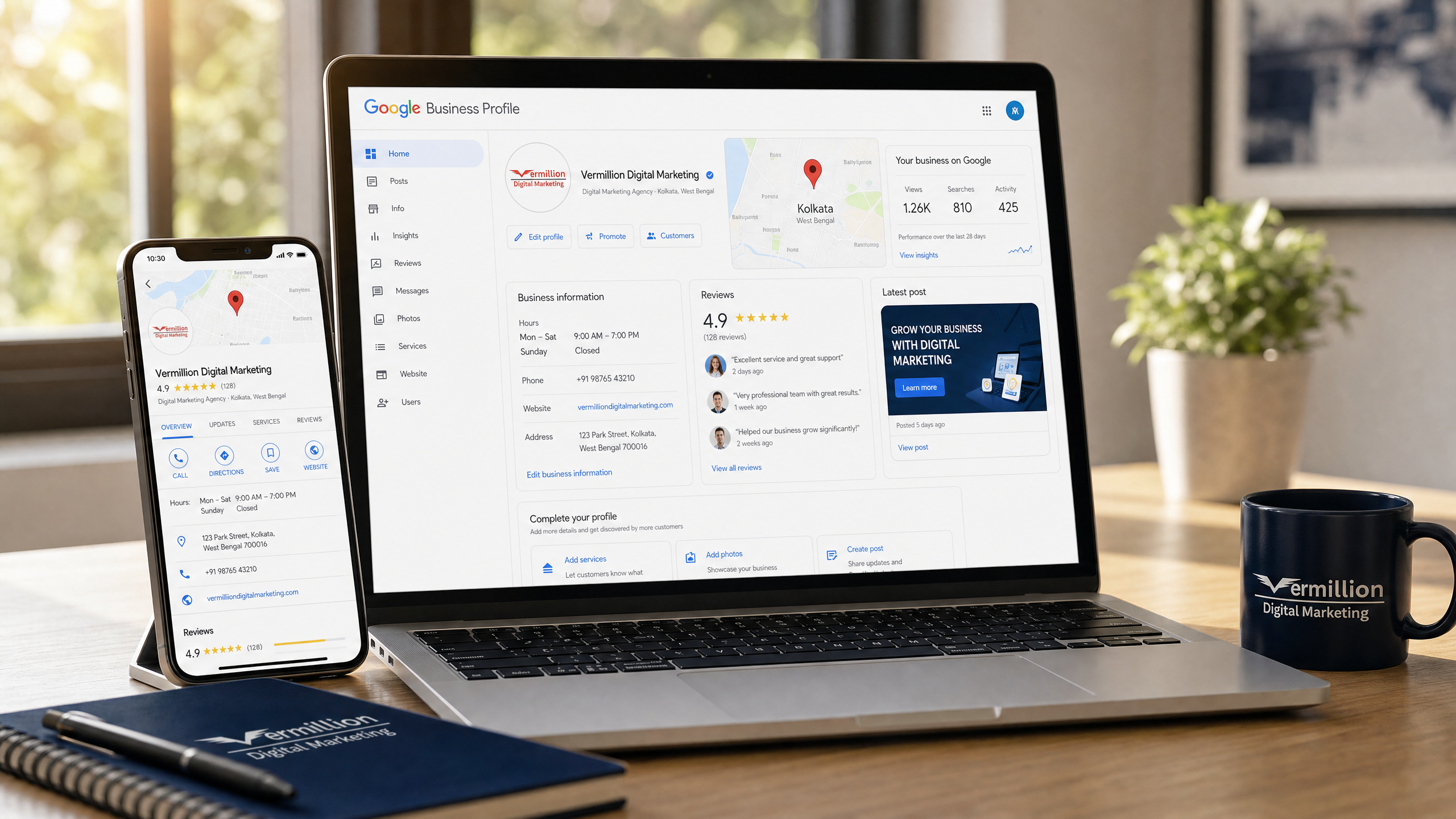
Why Claim a Google Business Profile? Benefits for Local Businesses
What is a Google Business Profile and why does it matter?
A Google Business Profile is a free listing that displays your business name, address, phone number, hours, website, and reviews directly on Google Search and Maps. It appears when users search for services near them, often before organic results. Claiming it lets you manage that presence instead of leaving it to chance or competitors.
Google reports that businesses with complete profiles are twice as likely to be considered reputable by customers support.google.com. The profile serves as a 24/7 digital storefront that answers questions, showcases photos, and enables actions like calls, directions, and bookings without the user visiting your website.
How does claiming improve local search visibility?
Claimed and verified profiles receive preferential placement in the Map Pack , the top three local results shown with a map, reviews, and contact details. The Map Pack captures the majority of clicks for local queries. Verification signals to Google that your business is legitimate, active, and authorized to manage its information.
Unverified or unclaimed listings risk outdated data, duplicate entries, or competitor edits. Google's algorithm favors profiles that are regularly updated with posts, photos, and review responses networksolutions.com. Each update reinforces relevance and authority for local rankings.
What are the key benefits of a verified profile?
| Benefit | Unclaimed Profile | Claimed & Verified Profile |
|---|---|---|
| Map Pack eligibility | Low | High |
| Information control | None | Full |
| Review responses | Not possible | Enabled |
| Booking buttons | Not available | Available |
| Performance insights | Hidden | Visible |
| Posts and updates | Not possible | Enabled |
| Photo management | Limited | Full control |
A verified profile also unlocks messaging, Q&A, and service-area settings for businesses without a storefront. These features turn passive listings into active lead channels.
What steps are required to claim and verify your profile?
- 1Go to business.google.com/add , Start the process at Google's official portal.
- 2Search for your business , If it exists, select "Claim this business." If not, click "Add your business to Google."
- 3Enter accurate details , Use your exact legal name, correct address or service area, phone, website, and hours.
- 4Choose verification method , Options include postcard by mail, phone, email, video call, or Search Console depending on eligibility.
- 5Complete verification , Follow the on-screen instructions for your chosen method. Postcards typically arrive in 5–14 days.
- 6Optimize immediately , Add photos, services, description, and respond to existing reviews once verified.
Verification is free. Google offers multiple methods to accommodate different business types. Service-area businesses can hide their address while still defining cities or zip codes they serve support.google.com.
How do reviews and photos impact conversion?
Reviews are the most powerful element on your profile. They influence both ranking and whether a searcher contacts you. Businesses that respond to reviews show engagement, which Google rewards and customers trust. Profiles with photos receive 42% more requests for directions and 35% more website clicks than those without business.google.com.
Encourage satisfied customers to leave reviews. Respond professionally to all feedback , positive and negative. Add new photos monthly: exterior, interior, team, products, and work-in-progress shots. Visual freshness signals an active business.
What ongoing management does a profile need?
Claiming is step one. Maintenance keeps the lead funnel flowing. Update hours for holidays. Post weekly offers, events, or updates. Monitor insights to see which search terms drive views and actions. Refresh photos quarterly. Audit categories annually as Google adds new options.
Neglected profiles lose ground to competitors who post regularly. Treat your profile like a social channel , consistent activity compounds visibility over time.
Can a Google Business Profile replace a website?
No. Your profile complements your website but doesn't replace it. The profile captures high-intent local searchers and funnels them to your site for deeper content, lead forms, e-commerce, or booking systems. A professional website builds authority beyond the local map. Together they create a complete digital presence. Explore how they work together in our web design services and local SEO services.
What common mistakes should you avoid?
- Keyword stuffing the business name ("Smith Plumbing - Best Emergency Plumber") , Google penalizes this.
- Choosing broad categories instead of specific ones.
- Leaving the description blank or writing for algorithms instead of humans.
- Ignoring negative reviews or responding defensively.
- Setting incorrect hours that frustrate customers.
- Forgetting to set service areas for mobile businesses.
Each mistake reduces visibility or damages trust. Audit your profile quarterly against this list.
Frequently asked questions
How long does Google Business Profile verification take?
Most postcard verifications arrive in 5–14 business days. Phone, email, and video call methods can be instant if your business qualifies. Search Console verification is immediate for eligible sites.
Is there a cost to claim or maintain a Google Business Profile?
No. Creating, claiming, verifying, and managing a Google Business Profile is completely free. Google does not charge for any profile features including posts, messaging, booking buttons, or insights.
Can I manage multiple locations from one account?
Yes. Google Business Profile supports location groups. You can add, verify, and manage dozens of locations under a single Google account, with bulk editing for hours, photos, and posts.
What if someone else already claimed my business?
You can request ownership transfer from the current manager through Google's ownership request process. This requires proving your authorization. Google mediates disputes and typically resolves them within 7 days.
Do I need a physical address to have a profile?
No. Service-area businesses can hide their address and define service areas by city, zip code, or radius. This applies to plumbers, electricians, mobile detailers, and similar businesses that visit customers.
Gemini now reads that listing too. After Google Assistant shuts down on September 4, 2026, a claimed profile still has to stay complete, and the website has to match. What Gemini needs from your GBP and website.
Frequently asked questions
How long does Google Business Profile verification take?
Most postcard verifications arrive in 5–14 business days. Phone, email, and video call methods can be instant if your business qualifies. Search Console verification is immediate for eligible sites.
Is there a cost to claim or maintain a Google Business Profile?
No. Creating, claiming, verifying, and managing a Google Business Profile is completely free. Google does not charge for any profile features including posts, messaging, booking buttons, or insights.
Can I manage multiple locations from one account?
Yes. Google Business Profile supports location groups. You can add, verify, and manage dozens of locations under a single Google account, with bulk editing for hours, photos, and posts.
What if someone else already claimed my business?
You can request ownership transfer from the current manager through Google's ownership request process. This requires proving your authorization. Google mediates disputes and typically resolves them within 7 days.
Do I need a physical address to have a profile?
No. Service-area businesses can hide their address and define service areas by city, zip code, or radius. This applies to plumbers, electricians, mobile detailers, and similar businesses that visit customers.